
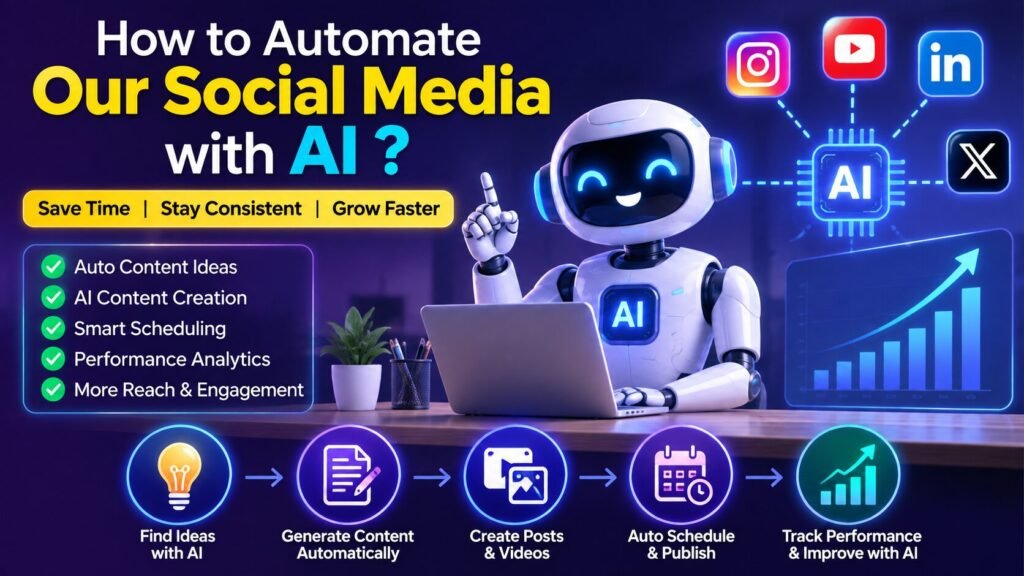
How to Automate our Social Media with AI: A Complete Guide
Social media has become one of the most important channels for businesses, creators, and entrepreneurs. But how to automate our social media with AI is a question many marketers and business owners are asking today. Managing multiple platforms every day can be time-consuming. Creating content, writing captions, designing creatives, scheduling posts, responding to users, and checking analytics can easily take several hours every week.
Table of Contents
ToggleThis is where AI-powered social media automation can make a huge difference. With the right combination of AI tools and automation platforms, you can build a system where AI helps you generate content ideas, write scripts and captions, create creatives, repurpose videos, schedule posts, and analyse performance—while you remain in control of the final content.
You can also learn AI Automation in Meerut.
How to Build an AI Social Media Automation System or how to automate our social media with AI.
Step 1: Find Content Ideas Using AI
The first step is content research.
Instead of sitting every morning and asking, “What should I post today?”, use AI to generate ideas based on your niche.
For example, a digital marketing creator could ask AI for:
- Trending digital marketing topics
- Common questions asked by business owners
- SEO mistakes
- AI marketing updates
- Social media tips
- Business growth stories
- Marketing case studies
You can create a database of hundreds of potential content ideas and then select the best ones.
Step 2: Generate Social Media Scripts
Once you have an idea, AI can turn it into a script.
A good short-form video script generally includes:
Hook → Problem → Story/Explanation → Solution → CTA
For example:
“Your competitor may not have a better product than you. They may simply be more visible.”
The rest of the video can explain why consistency and visibility matter in marketing.
AI can generate multiple hooks for the same topic, allowing you to test different approaches.
You can get our services
Step 3: Create Different Content Formats
Don’t create separate content from scratch for every platform.
Instead, take one core idea and adapt it.
For example:
Short Reel + caption
YouTube
Short + long-form video
Professional educational post
Story-driven post
Blog
Detailed SEO article
The core information remains the same, but the format and tone change according to the platform.
Step 4: Automate Video Repurposing
Video is one of the most powerful formats for social media.
If you regularly create long-form videos, AI can help identify interesting sections and convert them into short clips.
A single long video can potentially become several pieces of short-form content.
AI can also assist with:
- Captions
- Subtitles
- Hook selection
- Video titles
- Short descriptions
- Highlight detection
- Basic editing
This means you don’t always need to record a new video for every Reel or Short.
Step 5: Automate Content Scheduling
Once your content is ready, the next step is distribution.
Instead of manually posting every day, connect your content workflow with a social media scheduling platform.
A typical automation could look like:
Google Sheets/Database → AI → Approval → Social Media Scheduler → Platforms
You can maintain a content calendar containing:
| Date | Topic | Platform | Content | Status |
|---|---|---|---|---|
| Monday | SEO Tip | Reel | Ready | |
| Tuesday | AI Tool | Post | Ready | |
| Wednesday | Business Story | YouTube | Short | Editing |
| Thursday | Marketing Tip | Post | Scheduled |
Automation tools such as n8n, Make, and Zapier can connect different applications and move information from one step to another.
Step 6: Keep Human Approval in the Workflow
Fully automated content sounds exciting, but you shouldn’t necessarily allow AI to publish everything without supervision.
A better workflow is:
AI Creates → Human Reviews → Automation Publishes
Before publishing, check:
- Is the information accurate?
- Does the content sound like your brand?
- Is the hook strong?
- Is the CTA appropriate?
- Are there spelling mistakes?
- Is the creative visually correct?
A five-minute review can prevent many unnecessary mistakes.
Step 7: Automate Social Media Analytics
Publishing content is only half the job.
The next step is understanding what worked.
Your automation system can collect metrics such as:
- Views
- Likes
- Comments
- Shares
- Saves
- Watch time
- Followers gained
- Clicks
- Leads
AI can then analyse the data and generate insights.
For example:
“Business storytelling videos generated 40% more average watch time than generic marketing tips.”
Now you have a data-backed reason to create more storytelling content.
Best AI Social Media Automation Strategy
The best strategy isn’t to automate everything.
Instead, automate the repetitive work and keep the creative decisions human.
For example, let AI handle:
Research + Drafting + Repurposing + Scheduling + Reporting
But keep yourself responsible for:
Brand Voice + Personal Stories + Final Approval + Strategy + Relationship Building
This combination gives you the speed of automation without losing the human personality that makes social media content successful.
Conclusion
AI has completely changed the way businesses and creators can approach social media marketing.
You no longer need to manually research ideas, write every caption, create every variation, schedule every post, and analyse every metric.
With a properly designed system, you can build a workflow where:
AI researches → AI creates → Automation distributes → AI analyses → AI improves the next content cycle.
The biggest advantage isn’t simply saving a few hours. It is creating a repeatable content engine that allows you to publish consistently across multiple platforms while focusing your time on the activities that actually grow your business.
The future of social media isn’t just about creating more content.
It’s about building a smarter system that creates, distributes, measures, and improves content continuously.

Leave a Reply